A £2,500 deposit is agreed, the customer says they will transfer it later, and the job cannot be booked in until the money arrives. This is where an invoice payment link changes the process. Rather than sending bank details and hoping the customer enters everything correctly, you send a defined payment request they can approve there and then.
For businesses collecting deposits, staged payments and final balances, the aim is not to make payment technology more complicated. It is to remove the delay between asking for payment and knowing it has been made.
What is an invoice payment link?
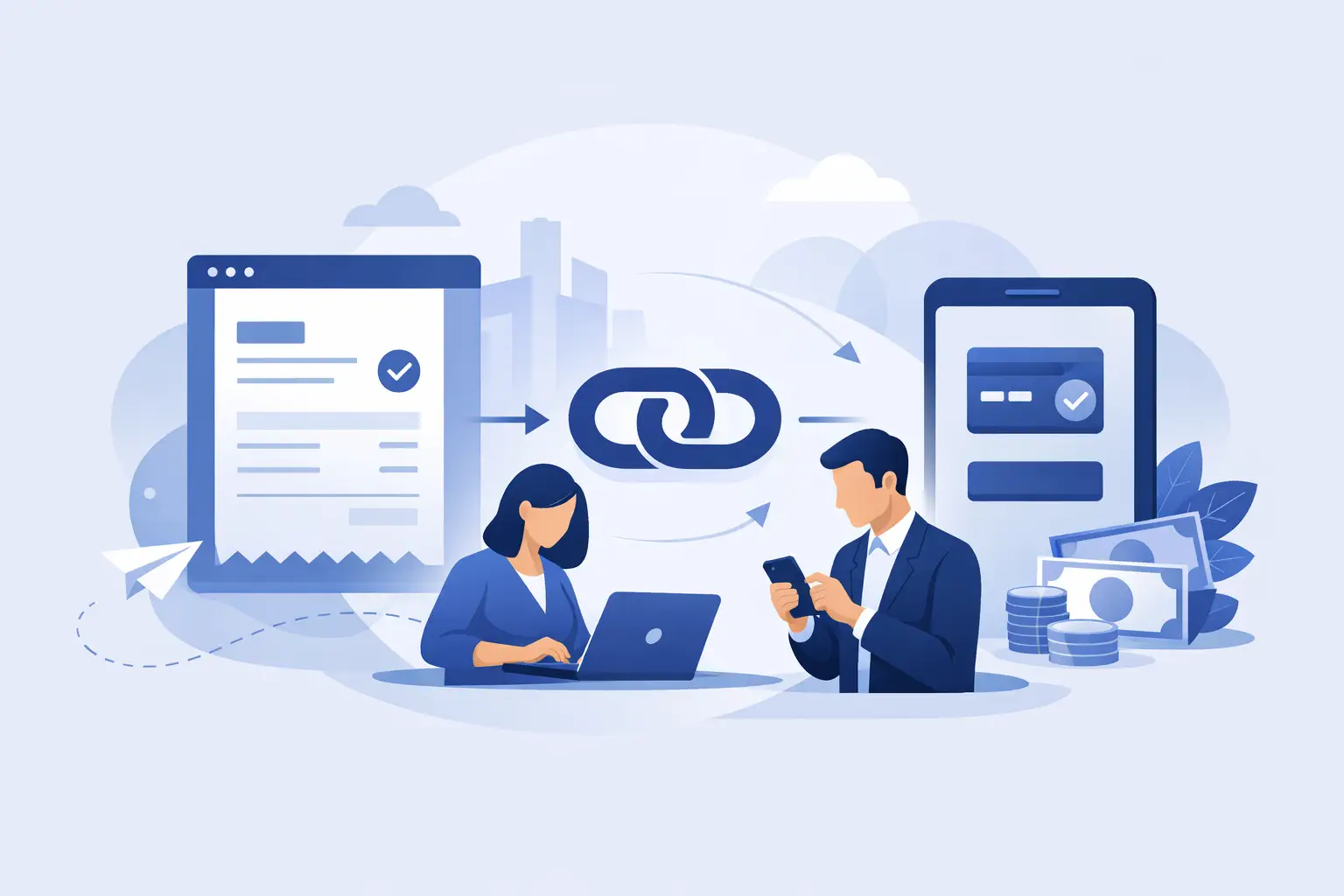
An invoice payment link is a secure, shareable request for a specific amount. It can include the customer name, payment reference and details of what the payment is for. The customer opens the link, reviews the request and authorises payment through their own banking app or online banking.
With Pay-by-Bank, money moves directly from the customer’s bank account to the business bank account. There is no need for the customer to manually type in a sort code, account number and reference, then send a screenshot to prove they have paid.
For a kitchen installer, the link might be for a 30% deposit before materials are ordered. For a garage, it could be for repair work ready for collection. For a clinic or professional-services firm, it may be for an agreed invoice balance. The payment request gives each transaction a clear purpose and a clear status.
Why manual bank transfers create unnecessary work
A normal bank transfer is familiar, but it leaves too much to chance. The customer may intend to pay after the call, lose the bank details in a WhatsApp thread, use an incomplete reference or simply forget. Your team then has to check the bank account, match incoming payments and follow up on anything outstanding.
That may be manageable for occasional small sums. It becomes a drain on time when payments are larger, jobs depend on deposits, or several team members are trying to work out whether a customer has paid.
An invoice payment link brings the request, payment amount and confirmation into one process. It does not make every customer pay immediately, but it gives them a straightforward route to do so while they are engaged. It also gives your business a more professional way to ask for money than copying bank details into every message.
How an invoice payment link works
The useful part is its simplicity. A member of your team creates a payment request with the amount and a reference that makes sense for the job or invoice. They then share it by WhatsApp, SMS, email or as a QR code.
The customer opens the secure hosted payment page and selects their bank. They are redirected to their own banking environment to authenticate and approve the payment. Their bank handles the security checks and their login details stay with the bank - your business and Kube Pay do not see or store them.
Once approved, the business receives a payment status update and confirmation. A receipt can be issued, and the transaction record remains available for reconciliation and reporting.
That sequence matters operationally. Instead of asking, “Have you sent it?”, you can see whether a request is unpaid, in progress, completed or needs a reminder. It gives the office a reliable next action rather than a list of assumptions.
Where payment links make the biggest difference
Payment links are particularly useful when the amount is meaningful enough that card charges affect margin. A percentage fee on a high-value deposit, vehicle repair or final project invoice can add up quickly. A fixed £1 per-payment charge gives businesses a clearer cost to plan around, especially on payments above £250.
They also work well where timing matters. A roofing firm may need a deposit before allocating a team. A bathroom company may need cleared payment before ordering products. A body repair business may need a balance paid before release. In each case, a quick payment request supports a firmer booking, ordering or handover process.
There is a customer experience benefit too. Customers often want a secure and recognisable way to pay, not a request to copy bank details from a text message. Being able to approve a defined amount in their own bank app can feel clearer than an informal transfer request, particularly for larger sums.
Choosing the right process for your business
An invoice payment link is most effective when it is built into the way you already collect money. Decide at which point you send requests: when a quote is accepted, before a survey slot is confirmed, at each project milestone, or when the work is complete.
Use plain references that your team and customer can both recognise, such as “Smith kitchen deposit” or “AB12 CDE repair balance”. Avoid vague labels that make reconciliation harder later. If you have more than one payment stage, create separate requests for each one rather than asking customers to calculate a balance themselves.
Your message should be direct and specific. Tell the customer what the payment is for, the amount and what happens once it is received. For example: “Your £1,200 materials deposit is ready to pay. Please use the secure payment request below so we can place the order.” That is more useful than a generic “Please pay your invoice” message.
Reminders should be used thoughtfully. A reminder after an agreed due date is sensible; repeated messages before the customer has had a realistic opportunity to act are not. The purpose is to make payment easy, not to create pressure or confusion.
Payment links are not a substitute for clear terms
The link makes collection easier, but it cannot resolve uncertainty about what the customer has agreed to pay. Make sure the quote, invoice or booking confirmation sets out the scope of work, payment schedule and any cancellation or refund terms that apply to your business.
For milestone work, be explicit about what triggers each payment. “Deposit before materials are ordered” and “final balance on completion” are easier to administer than a loosely agreed request for payment later. When the commercial agreement is clear, the payment request becomes a simple next step.
There are situations where another payment method may still suit the customer or the transaction. Some customers may prefer to pay in person, and recurring payments may need a different arrangement. The value of an invoice payment link is not that it replaces every option. It gives you a controlled alternative to chasing informal bank transfers and absorbing card-style percentage costs on larger one-off payments.
Security customers can understand
Customers are right to be careful when paying from their bank account. A good payment request should make the amount, merchant identity and reason for payment clear before they authorise anything.
Open banking payment initiation uses regulated infrastructure to connect the customer to their own bank for approval. The customer authenticates directly with their bank, using the normal security methods their bank requires. They do not give their online banking password to the business.
Kube Pay uses regulated open-banking payment initiation delivered by Yapily Connect Ltd, alongside a hosted payment journey designed to present requests clearly. For your team, that means a practical collection tool. For customers, it means they can authorise a payment in an environment they already recognise.
Make payment status part of the job workflow
The real gain comes after the link is sent. Payment status tracking means the office can stop relying on screenshots, inbox searches and verbal updates. Completed payments can be matched against the right customer and job, while unpaid requests can be followed up from a known position.
For growing businesses, this creates a cleaner handover between sales, administration and operations. The salesperson can secure the deposit request, the office can confirm payment, and the installation or service team can proceed without guessing whether money has arrived. CSV exports and reporting also make it easier to reconcile activity with your accounting process.
A payment request should feel like part of a well-run business, not a last-minute chase. When customers receive a clear invoice payment link at the right moment, paying becomes one small, confident action that keeps the next job moving.